How to Add Table of Contents to Squarespace (7.1 & 7.0)
Hello Squarespace Fellas!!
Welcome back to another Squarespace blog 🤓
Today’s Blog will discuss the Table of Content Plugin in Squarespace. Excited?? so let’s get started!!😀

What is a Table of Contents Plugin?
The Squarespace Table of Contents or TOC plugin automatically generates the table of content for your website’s pages and blog posts. We can use code block or footer code injection to insert the plugin code into our website.
Once the plugin is installed on the website, it generates the TOC by fetching the headings of all types. The table of contents is usually added at the top of the website and we can customize and design it according to our requirements.
The Squarespace Table of Contents plugin is an excellent tool for websites with long pages or blog posts with multiple sections, making it easier for users to navigate and find the information they are looking for.
Where to find Squarespace Table of Contents Plugin?
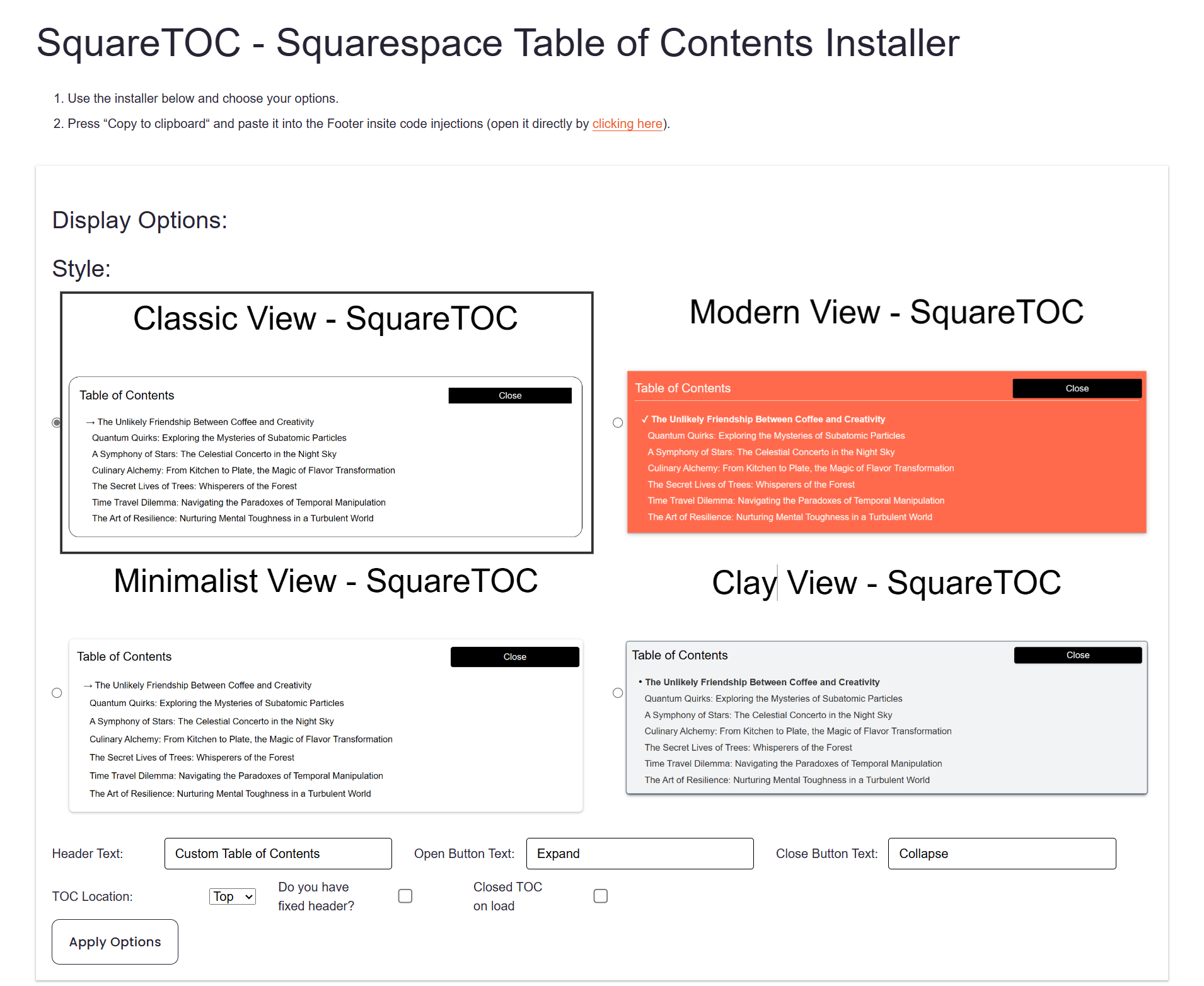
SQSP Starter has an advanced Squarespace Table of Contents Plugin. You can find it here:
Advantages of Squarespace Table of Content Plugin
1. Customizable design
The Squarespace table of the content plugin allows you to customize and design it, giving it a unique and aesthetic look.
2. Improved user experience
The Squarespace Table of content provides an organized and collapsable view of your content to users. This helps to improve user experience as they don’t have to scroll down in case of long pages. can take users to their desired locations.
3. Increased Engagement
When users find ease, they will enjoy browsing our website and spend more time on it. The Table of Content makes it easy for users to find relevant content and jump to it.
4. Better SEO
Adding a Table of content to your site can help achieve better Search Engine Optimization. The more headings and titles are highlighted, the better it is to search for them.
5. Automatic generation
Once you install the plugin on your website, it automatically generates the headings that you wanted to add to your website’s Table of Content. You don’t need to put anything manually in the Table of Content.
Hope you’ll have now learnt about the Squarespace Table of Content Plugin. Stay Tuned for more Blogs related to Squarespace🤓
Thank you!!
Written By: SQSPStarter team
Website : https://sqspstarter.com/